Dark Mode Is Here: Why We Added It and How to Enable It
Jan 21, 2026
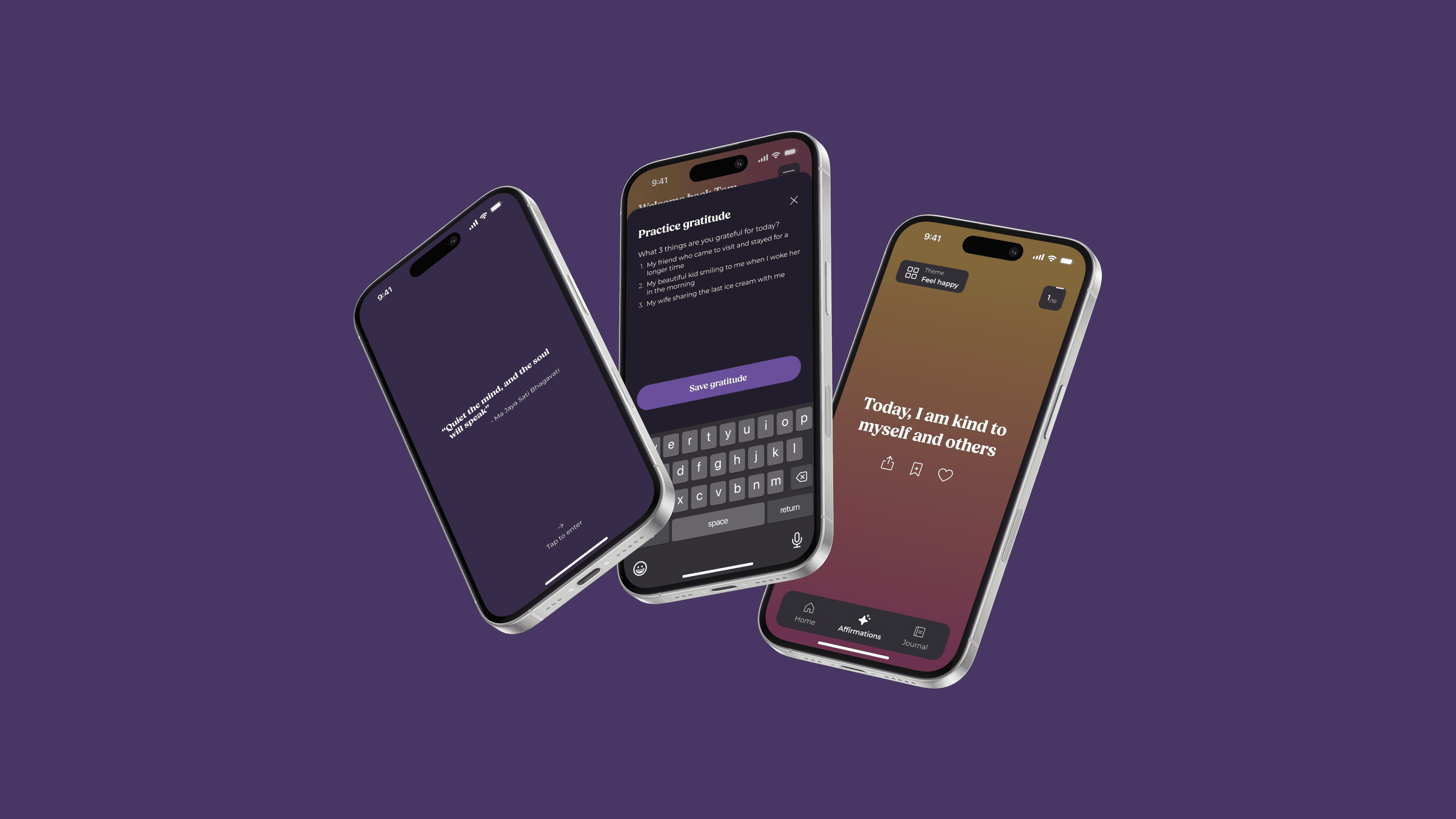
We’re excited to introduce dark mode to Better.
This update is part of our ongoing commitment to creating an app that feels calm, supportive, and accessible — no matter when, where, or how you use it.
Dark mode isn’t just a visual preference. For many people, it’s an essential accessibility feature. Here’s why we added it, what it means for your experience, and how to turn it on.
Why We Added Dark Mode
Better is designed to support moments of reflection, stillness, and self-connection. Those moments don’t only happen during the day — they often happen early in the morning, late at night, or in low-light environments.
For many users, bright screens can:
Cause eye strain
Disrupt focus
Feel overwhelming during quiet moments
Be uncomfortable for light-sensitive users
Dark mode helps reduce visual fatigue and creates a softer experience, especially during evening or nighttime use. It also supports users with visual sensitivities or accessibility needs by offering a high-contrast, lower-glare interface.
Most importantly, dark mode allows Better to adapt to you — not the other way around.
Accessibility as a Core Principle
Accessibility is not an afterthought for us. It’s part of how we design.
Adding dark mode aligns with our belief that mental wellbeing tools should feel:
Comfortable to use
Calm to look at
Inclusive by default
By offering both light and dark appearances, we give users more control over how they experience the app — supporting different environments, routines, and sensory needs.
What Dark Mode Changes (and What It Doesn’t)
Dark mode changes the visual appearance of the app by using darker backgrounds and softer contrast. It does not change:
Your affirmations
Your journalling entries
Your data or progress
How features work
Affirmations and journalling remain at the heart of Better. Dark mode simply makes the experience more comfortable for extended or low-light use.
How to Enable Dark Mode
You can switch to dark mode at any time:
Open Home
Go to Settings
Select Appearance
Choose Dark mode
You can change this setting whenever you like, depending on your environment or preference.
Looking Ahead
Dark mode is one of many steps we’re taking to make Better more adaptable, accessible, and supportive. As we continue to expand the app — across affirmations, journalling, and reflection — accessibility will remain a guiding principle in every design decision we make.
Better is here to meet you where you are — in the light or in the dark.